

Pro Version Feature Overview
The Pro version includes all the features of the Basic! In addition, it offers the following Pro features:
Visit Youtube for more information: https://www.youtube.com/watch?v=C1Ph_j00_Sc
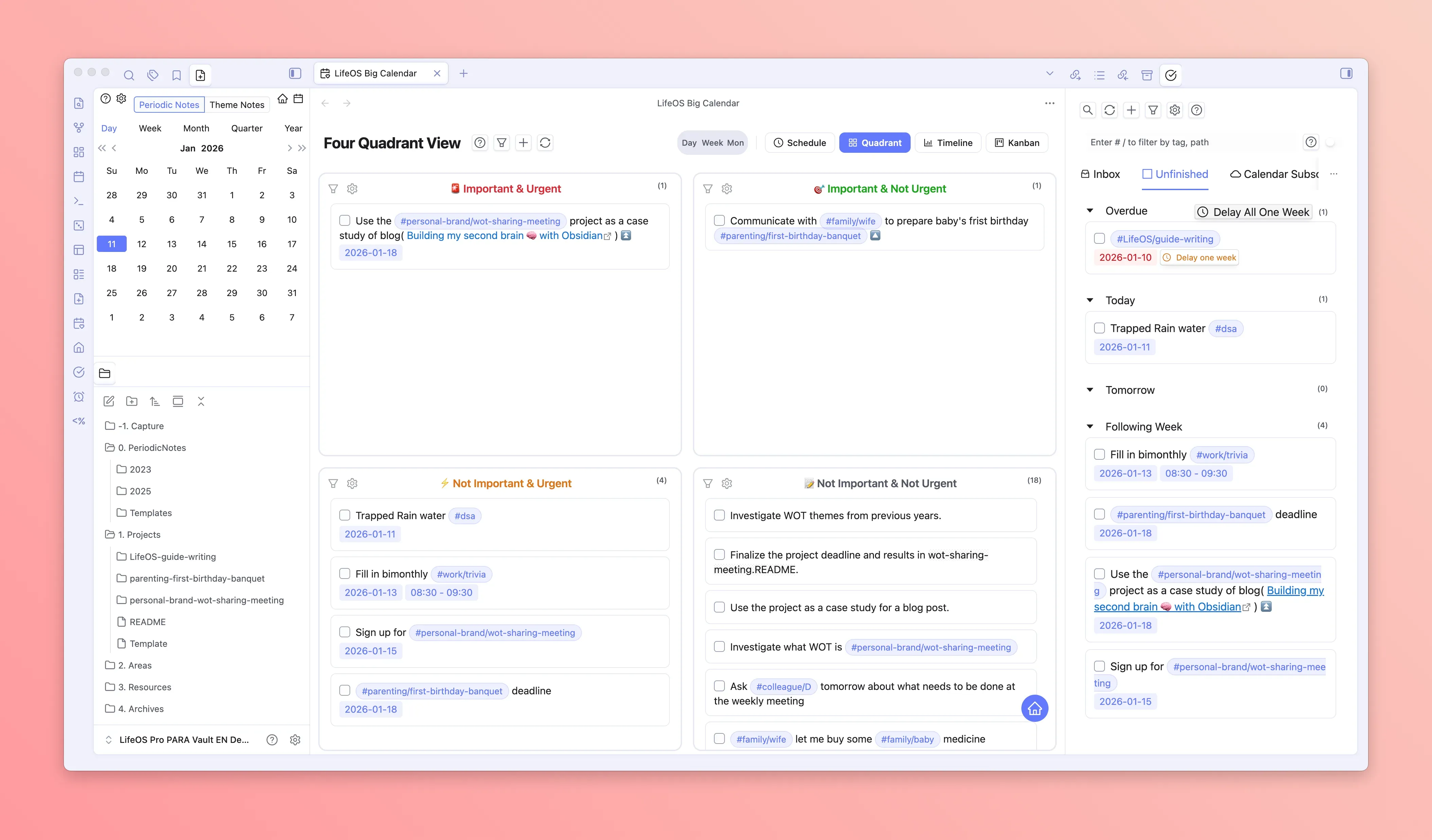
Big Calendar Schedule Planning
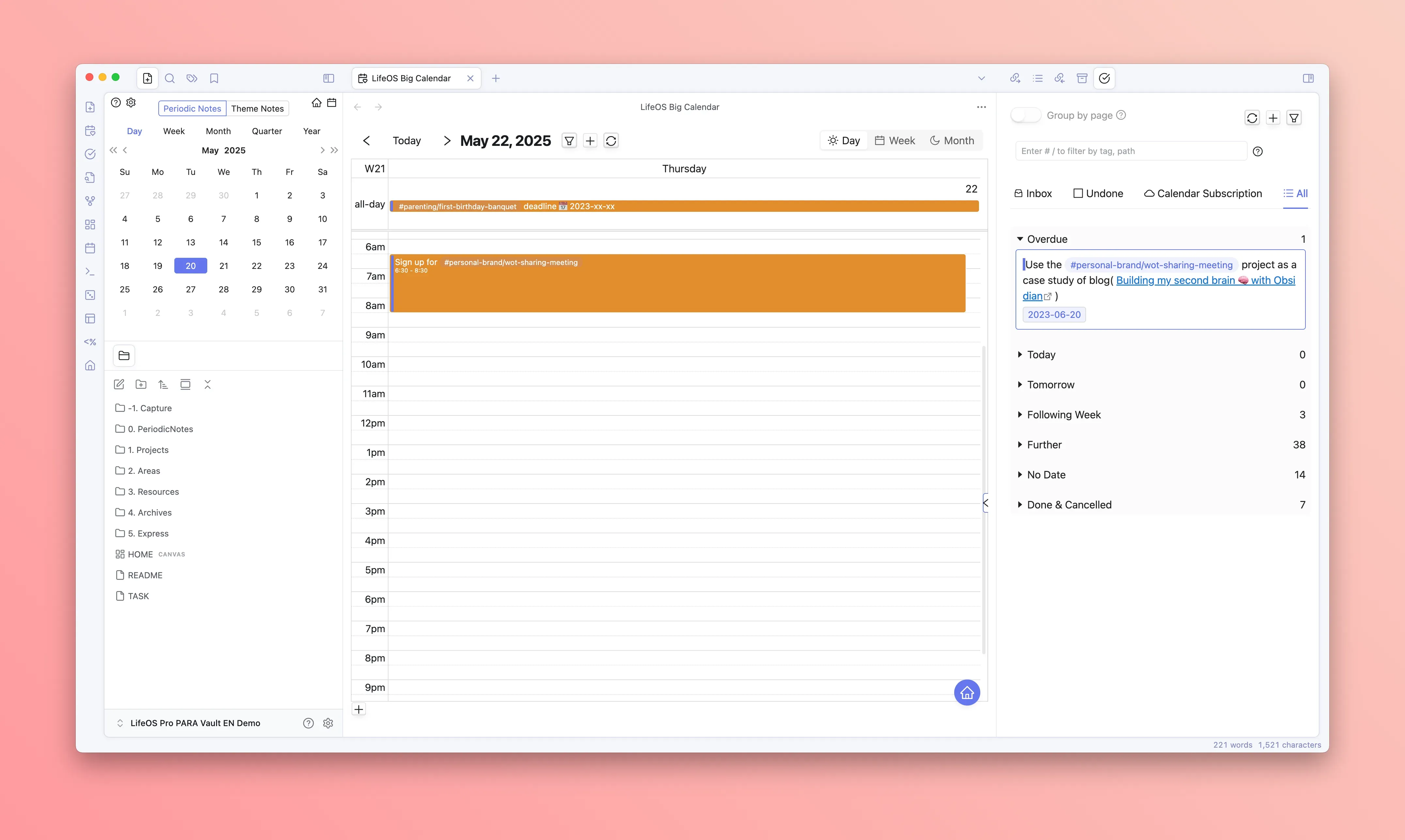
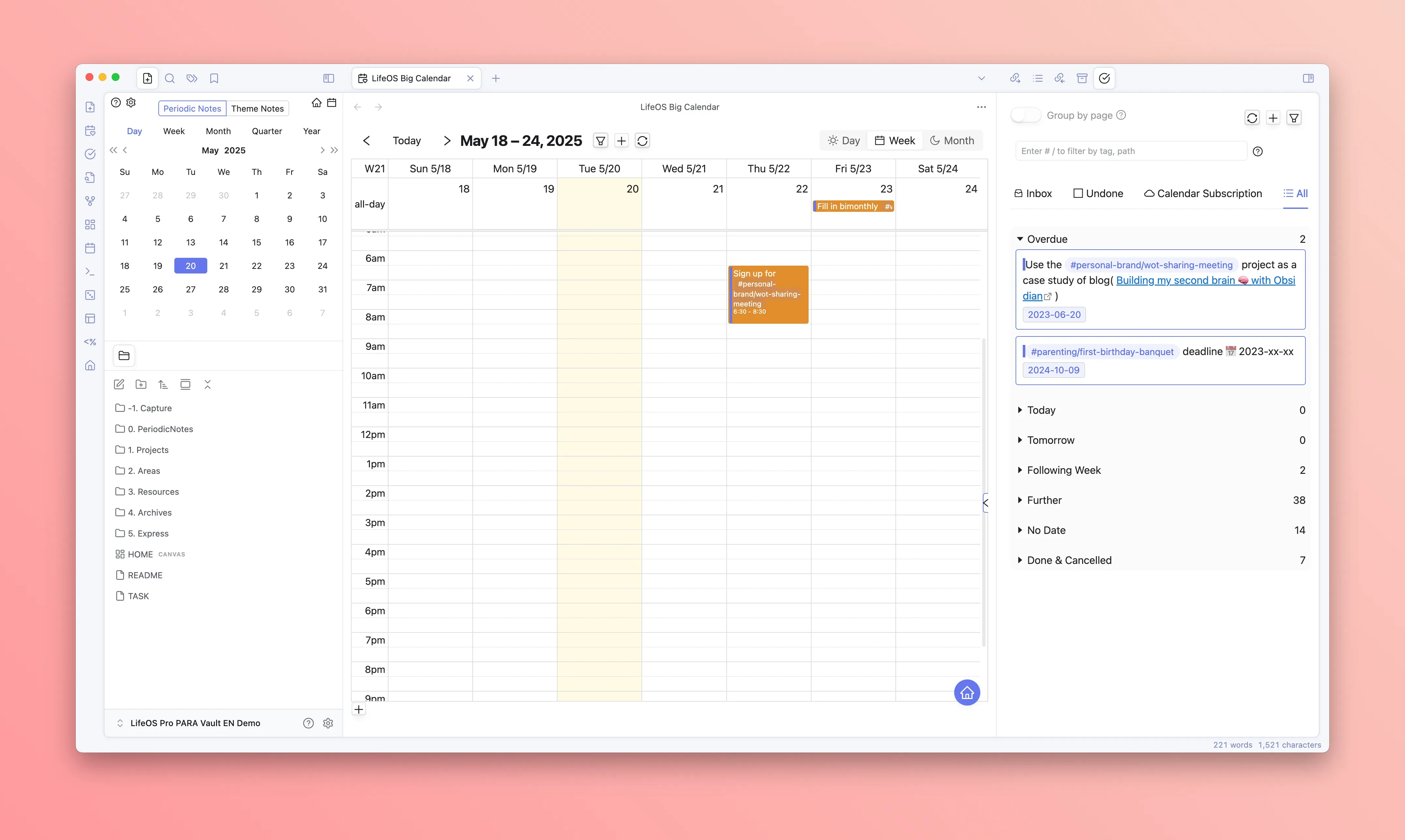
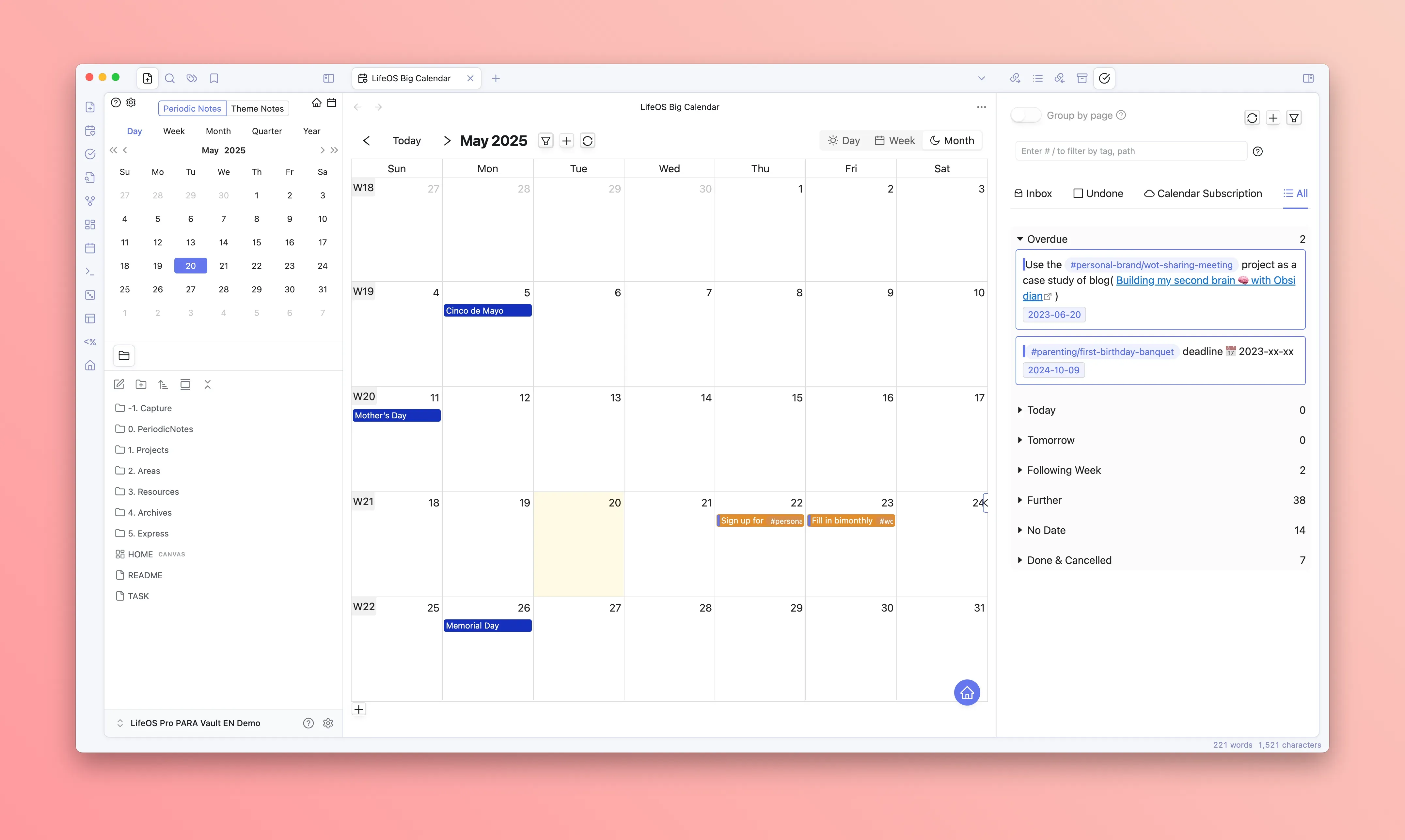
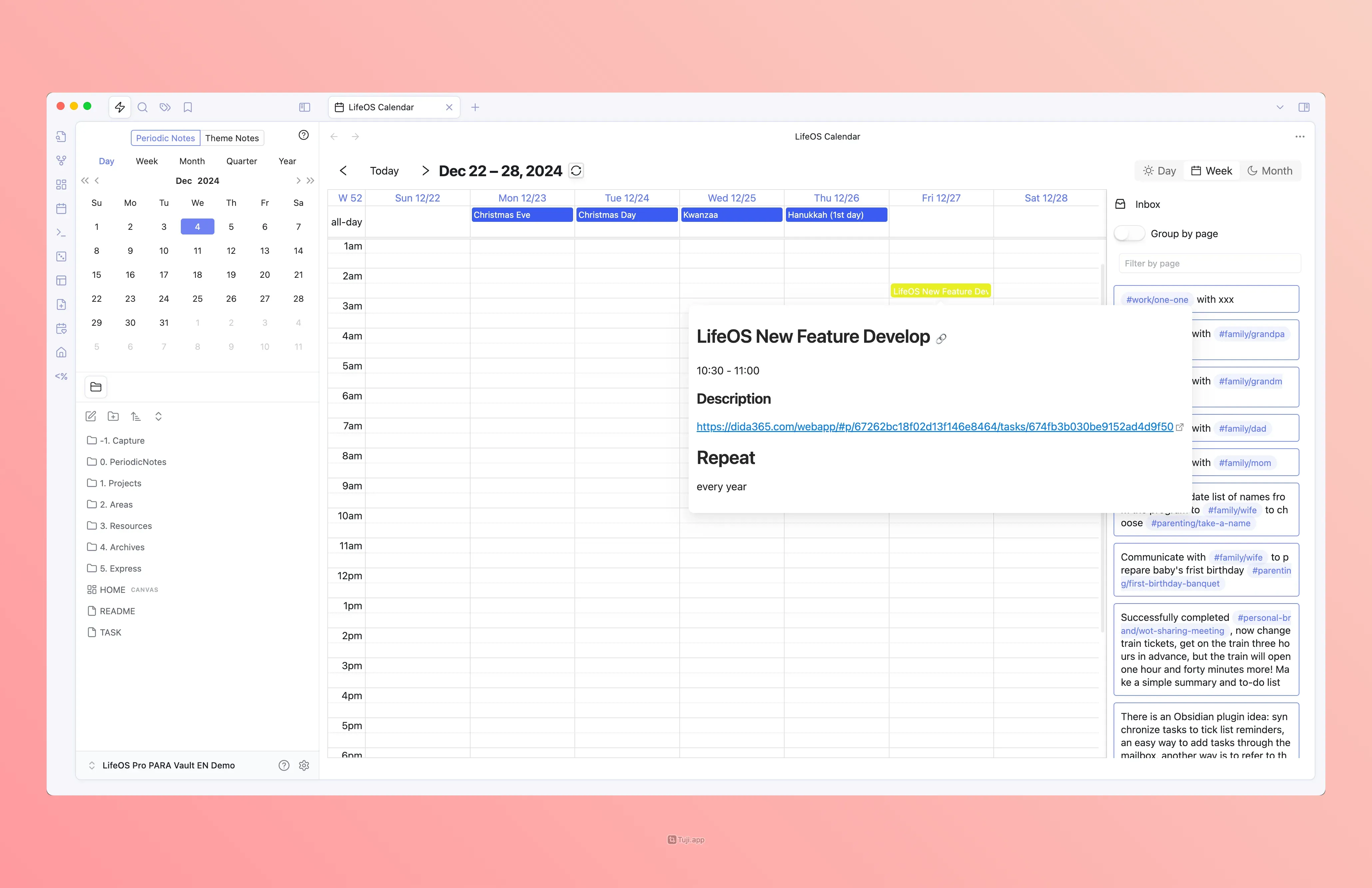
Through simple drag and drop, you can plan the deadline for each task, supporting day view, week view, and month view. Easily manage your time, improve efficiency, and calmly handle each day!
Day View
Week View
Month View
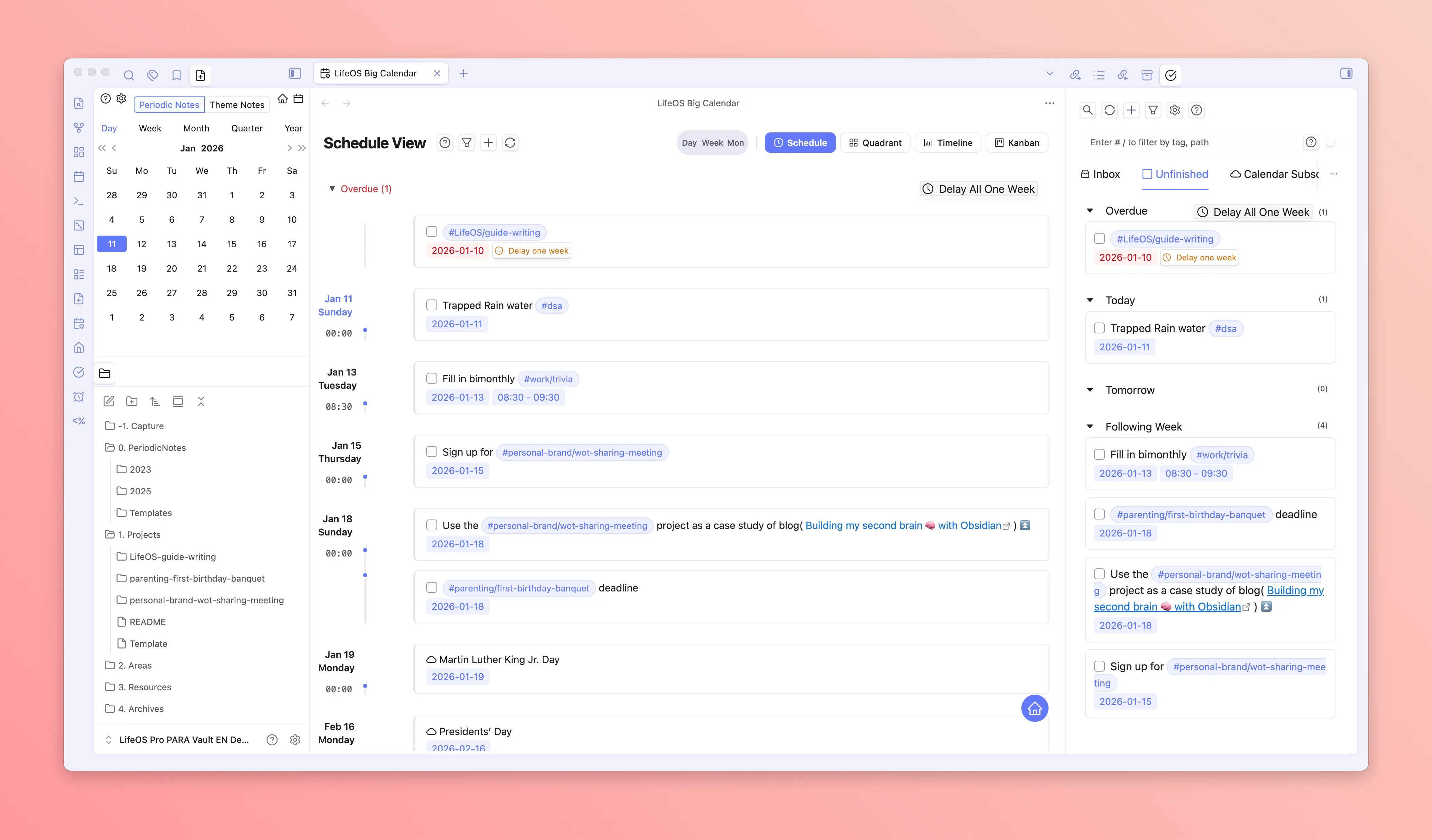
Schedule View
Four-quadrant view
Remote Calendar Two-way Sync
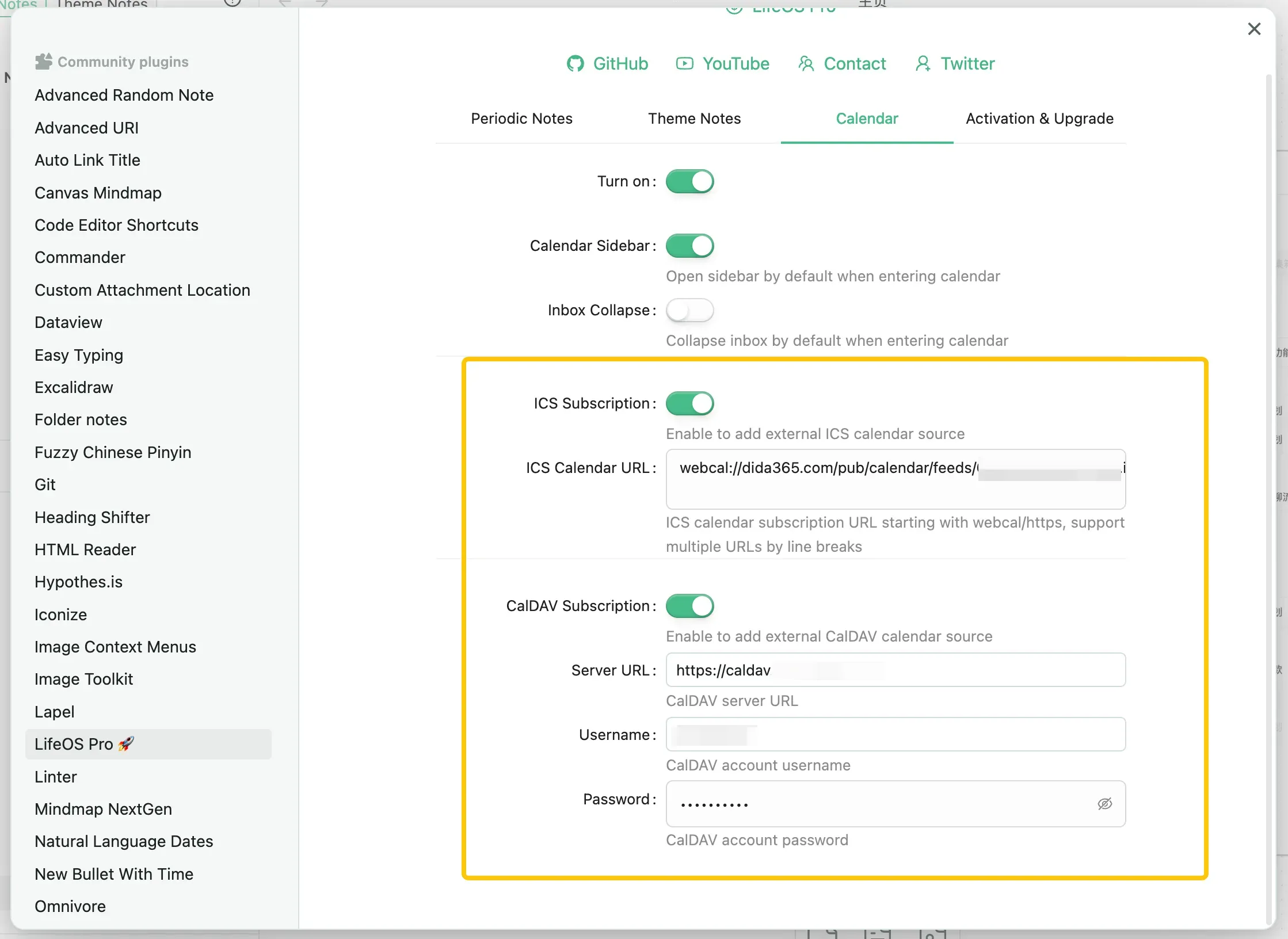
Supports subscribing to remote calendars using ICS and CalDAV protocols, such as TickTick and Feishu Calendar. This allows you to centralize all your calendar data for easy viewing and planning. For subscription methods, please refer to "Calendar Subscription".
Supports two-way sync via CalDAV protocol with iCloud Calendar, Google Calendar, and other CalDAV Calendar services, enabling task reminders across iOS, Android, macOS, Windows, Linux, and other platforms.
Advanced Lists
Are you struggling with long lists of tasks, bullet points, and files? This time, we bring you the ultimate solution! 🔍
Advanced lists have the following features:
- Indexing functionality, supporting search, sorting, and filtering, allowing you to easily find tasks, flash notes, and files scattered throughout!

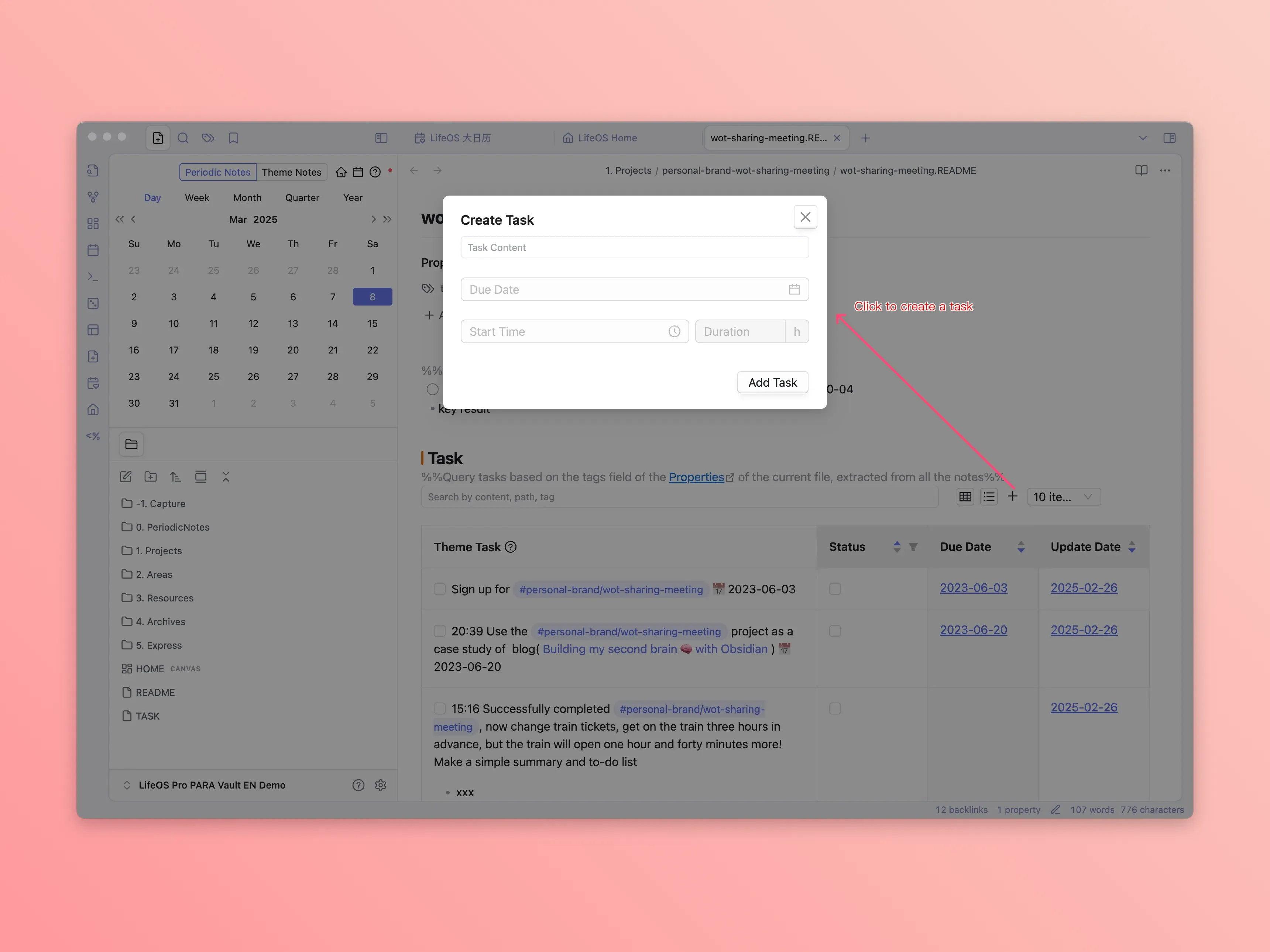
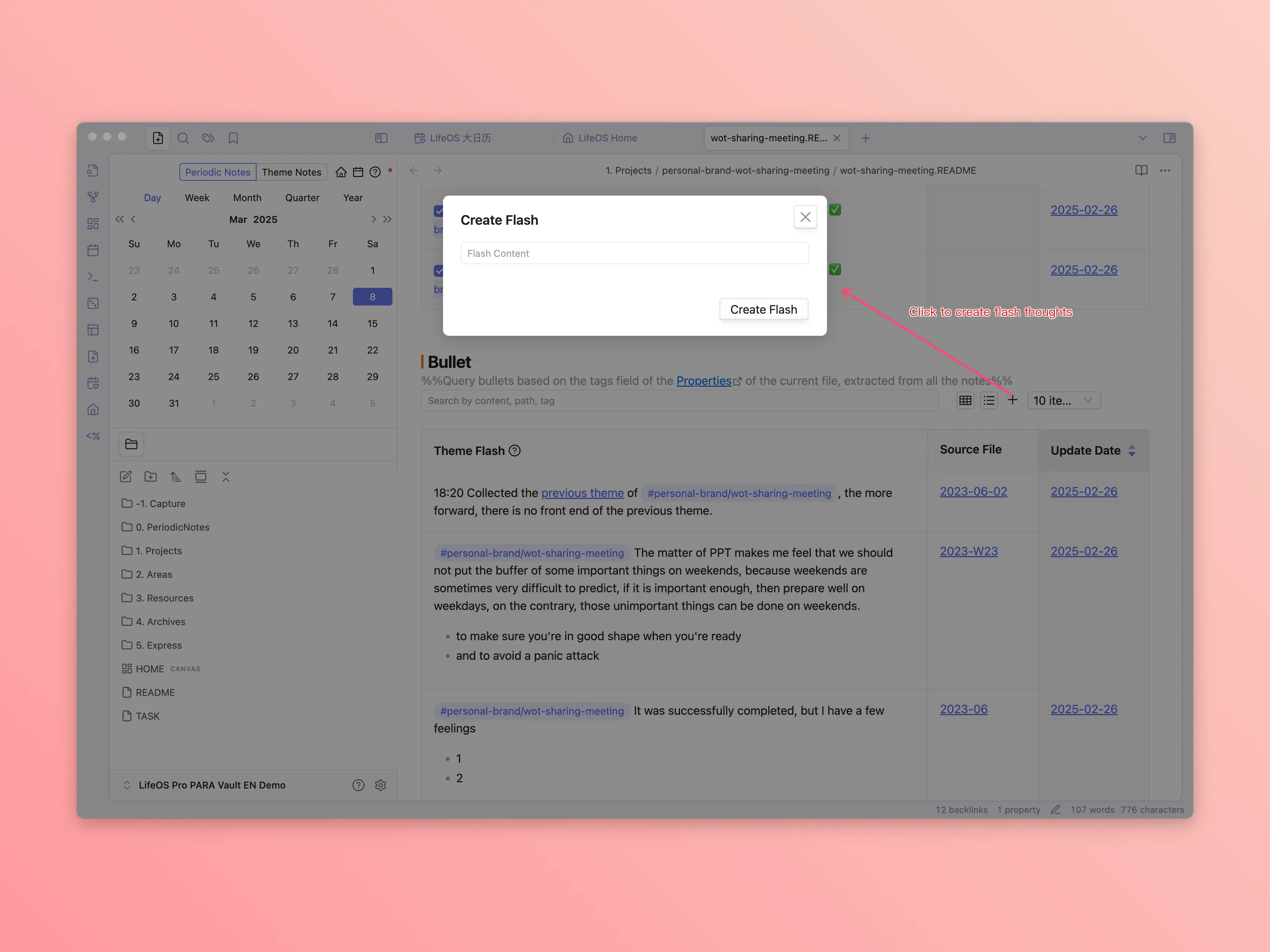
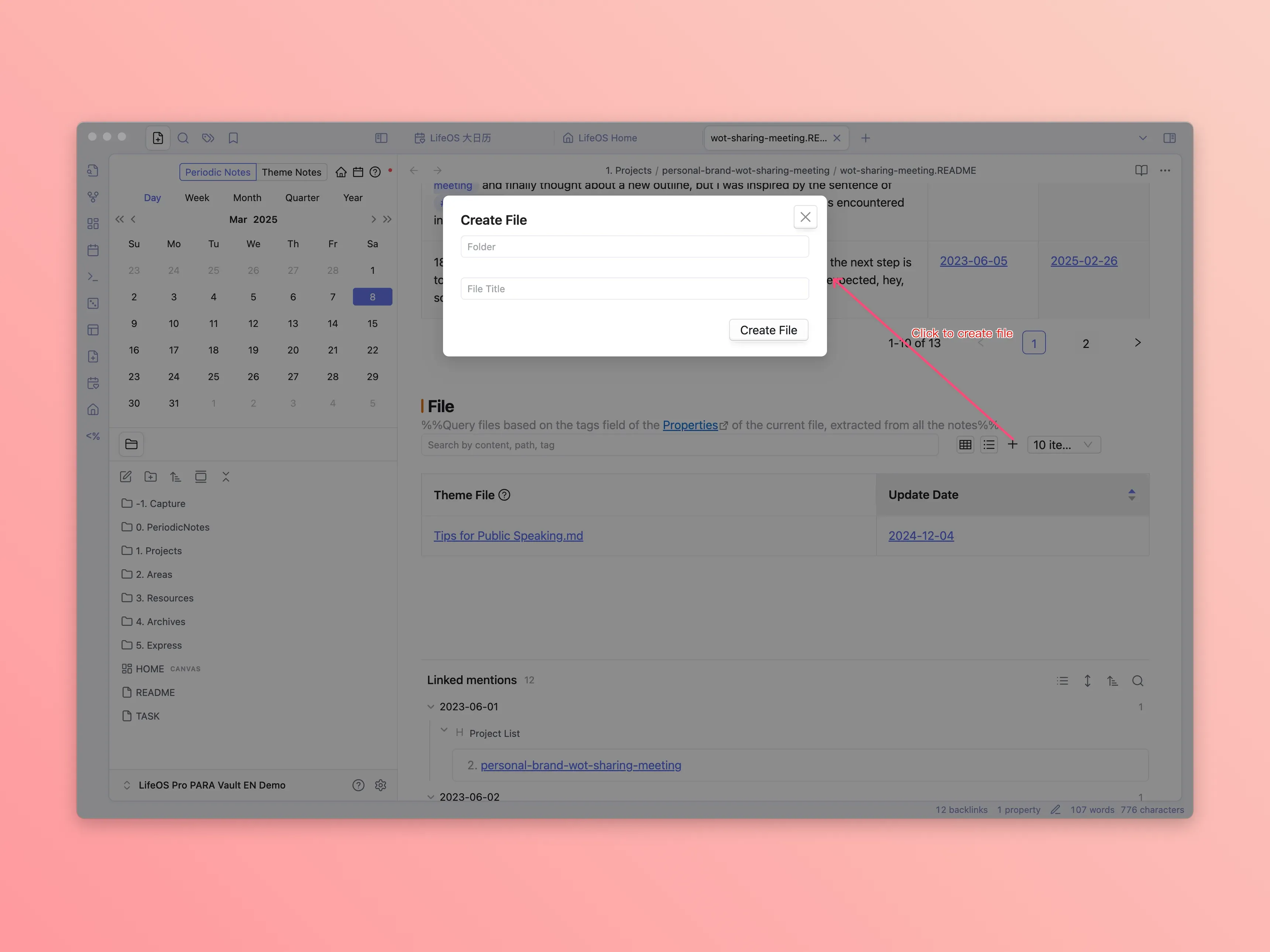
- Creation functionality, allowing you to create tasks, flash notes, and files for the current theme with just one click!
Creating Tasks
Creating Flash Notes
Creating Files
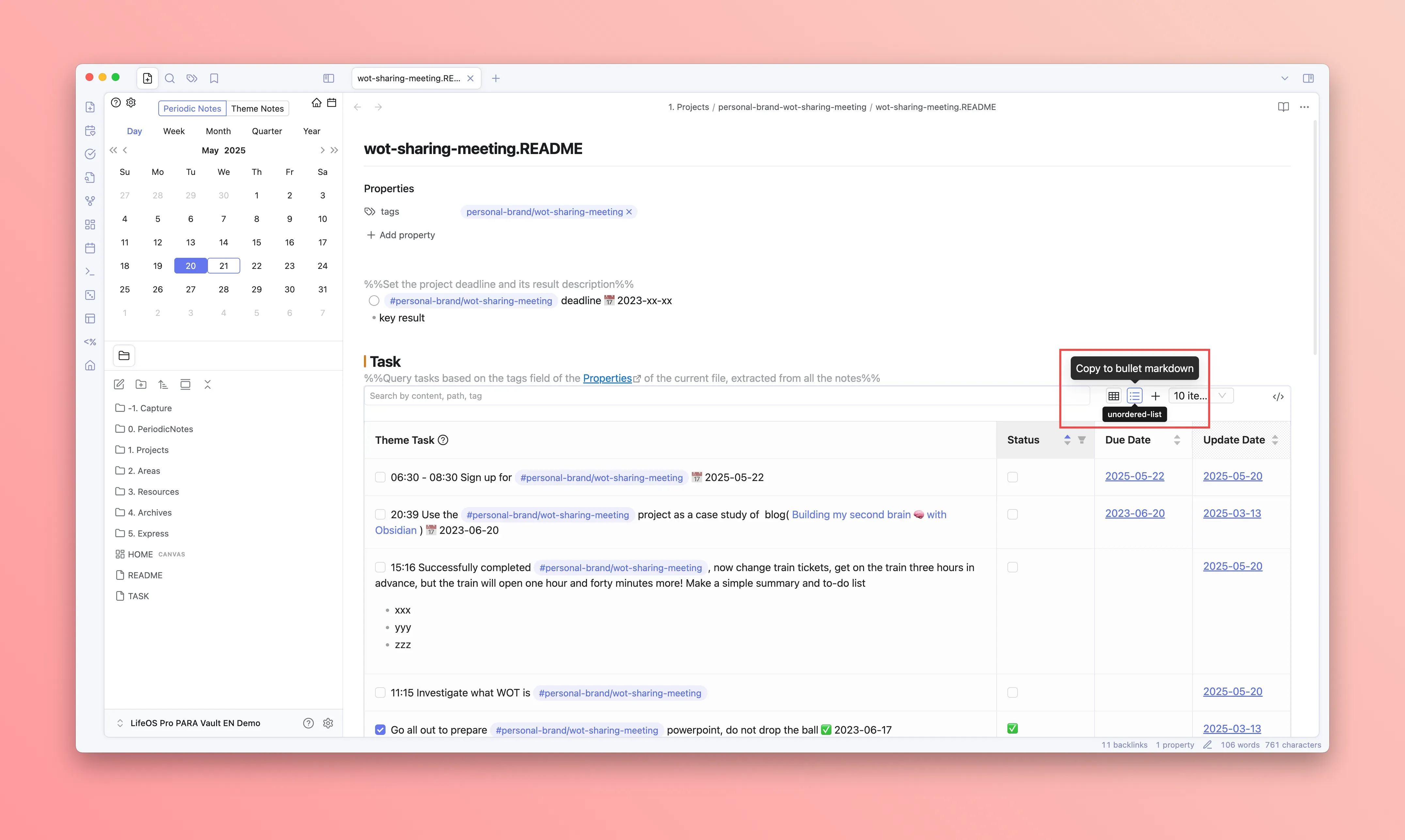
- Copy functionality, copying the advanced list as text, using it as context for a specific theme, and sending it to AI tools, allowing you to leverage AI capabilities for deeper conversations!
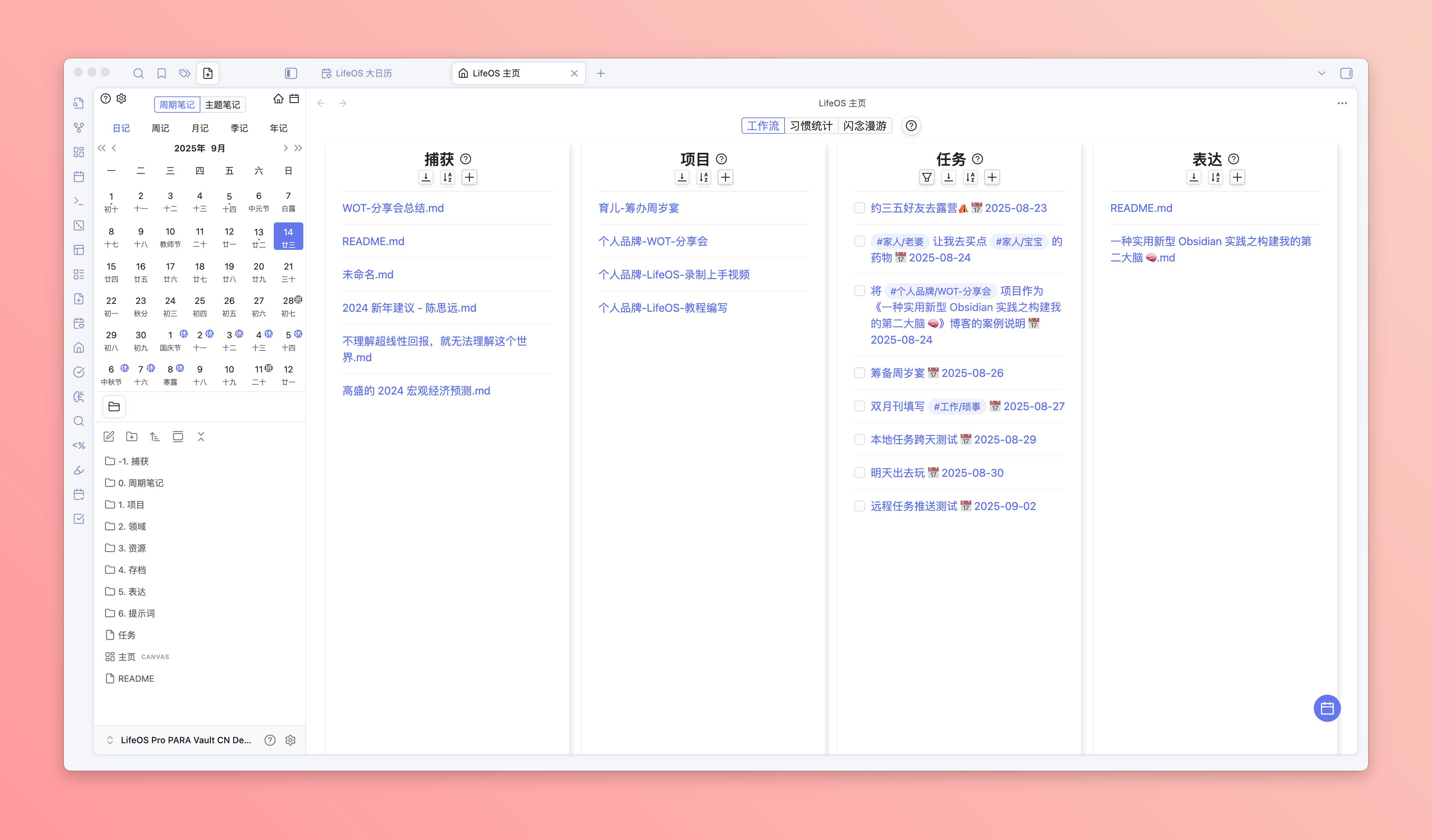
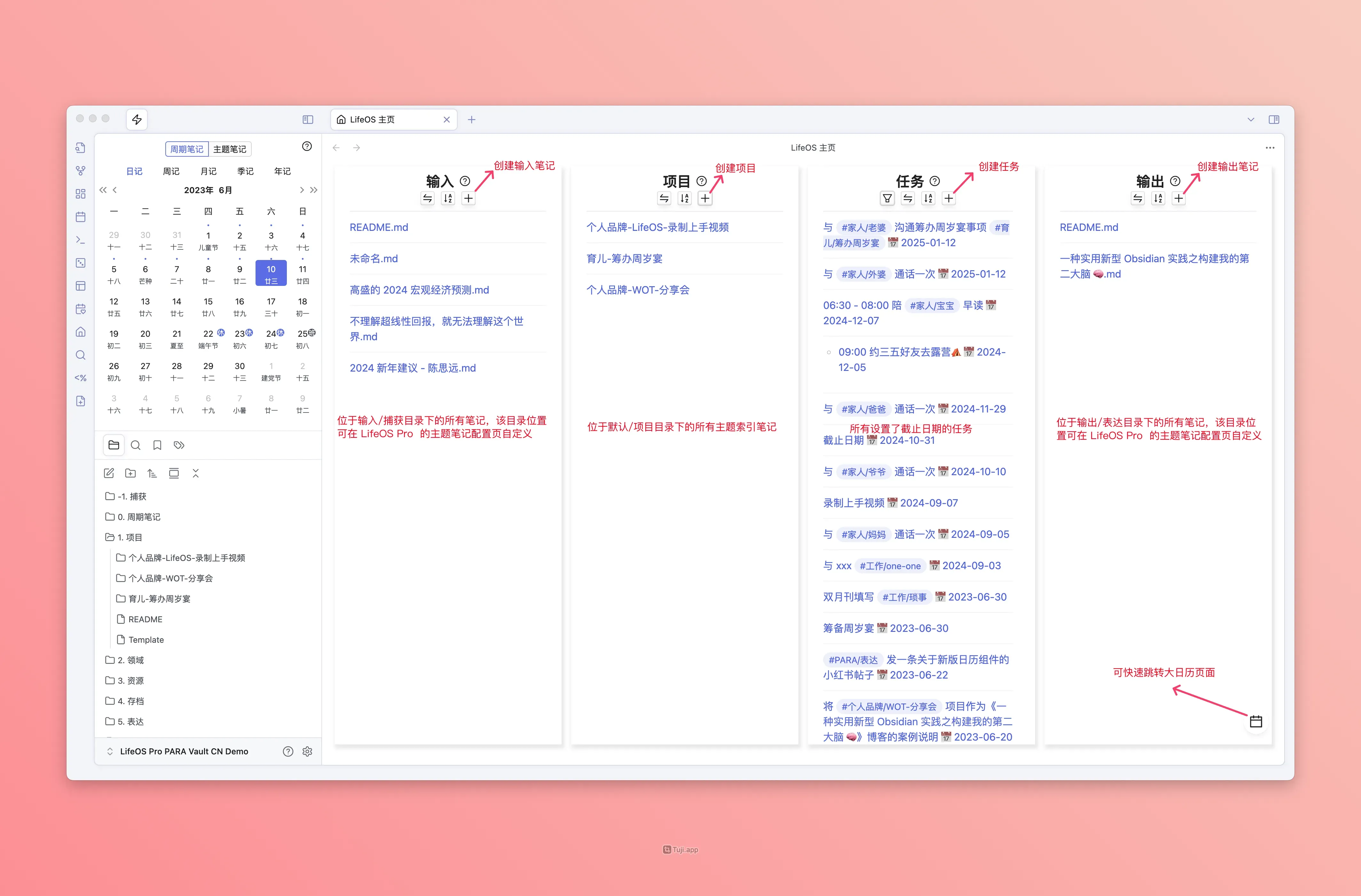
Home View
LifeOS aims to be your life system. The new homepage is simple and practical, giving you a clear overview of the system's inputs, projects (themes), tasks, and outputs, helping you better coordinate life and work.
Workflow
All-in-one project management, forming an efficient closed loop from input to delivery, connecting every step and driving projects forward steadily.
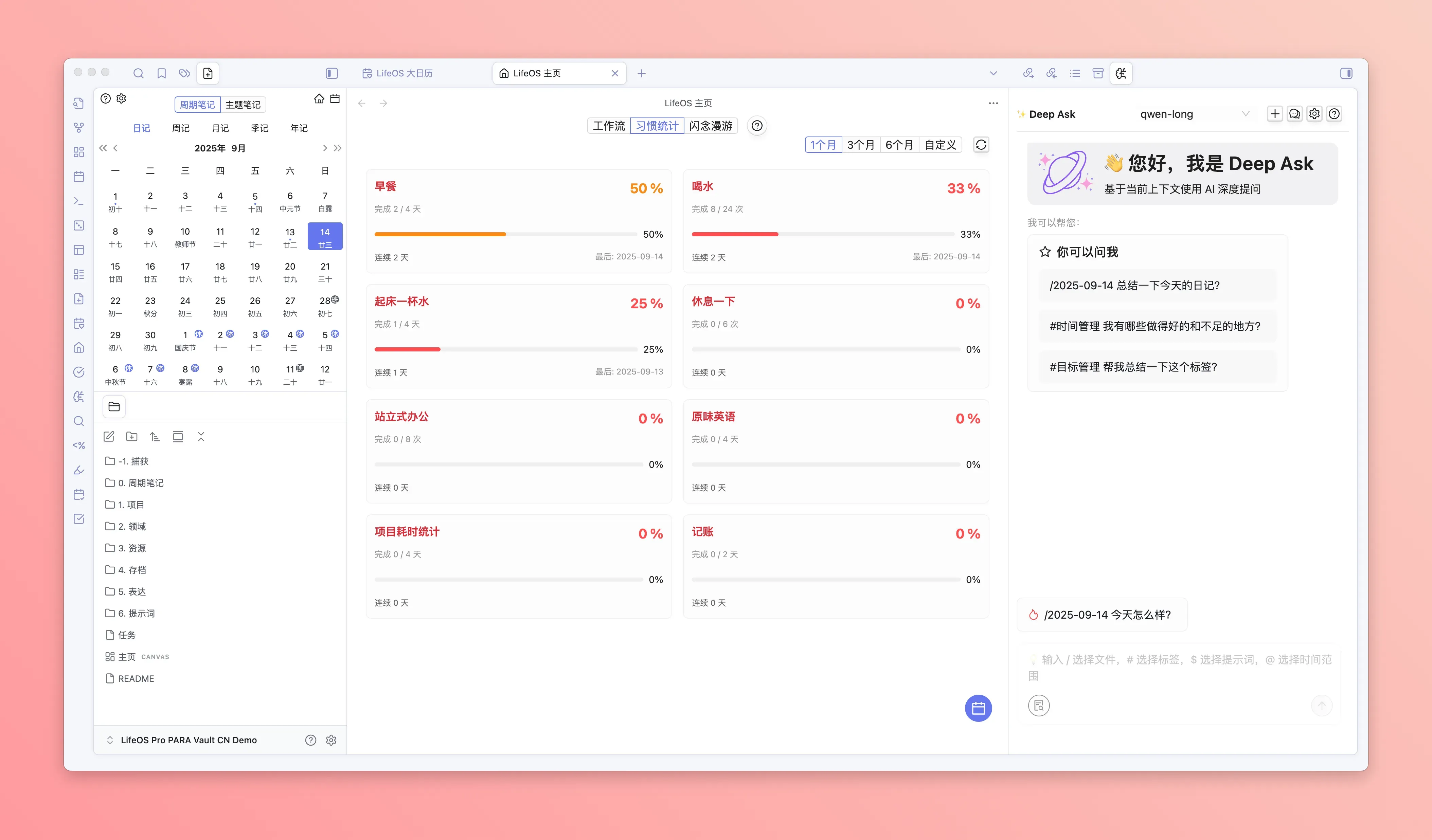
Habit Statistics
More than just recording — it analyzes the overall completion of habit modules in your journal, helping you scientifically understand your habit-building cycles.
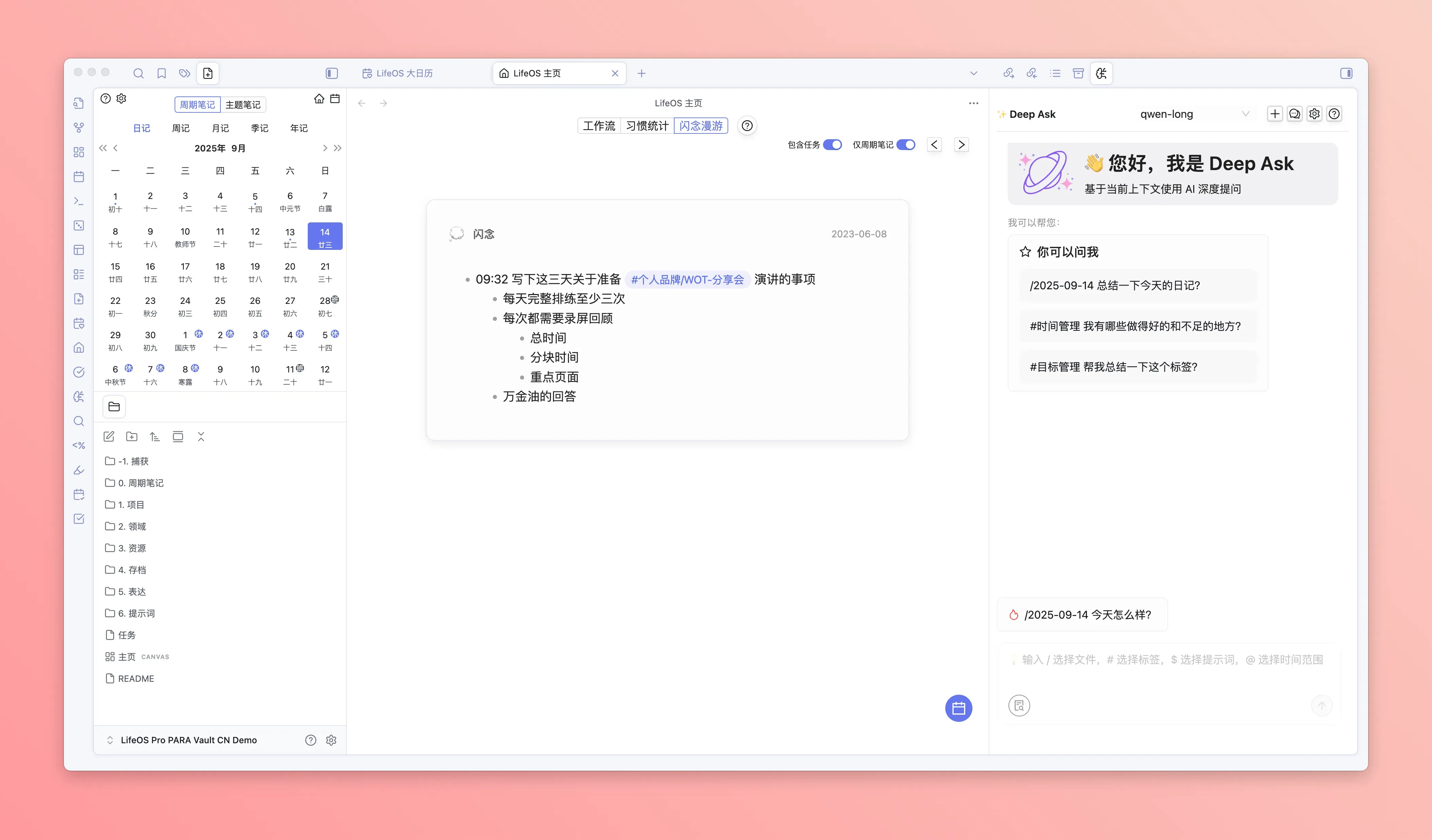
Flash Thought Wandering
Revitalize your historical notes, spark endless creativity, and let old thoughts grow new branches.
Theme Notes
PARA notes have been upgraded to theme notes, with added toggle options, greatly reducing the learning curve for beginners. Users only need to focus on input, output, and themes to easily record, organize, and use notes.
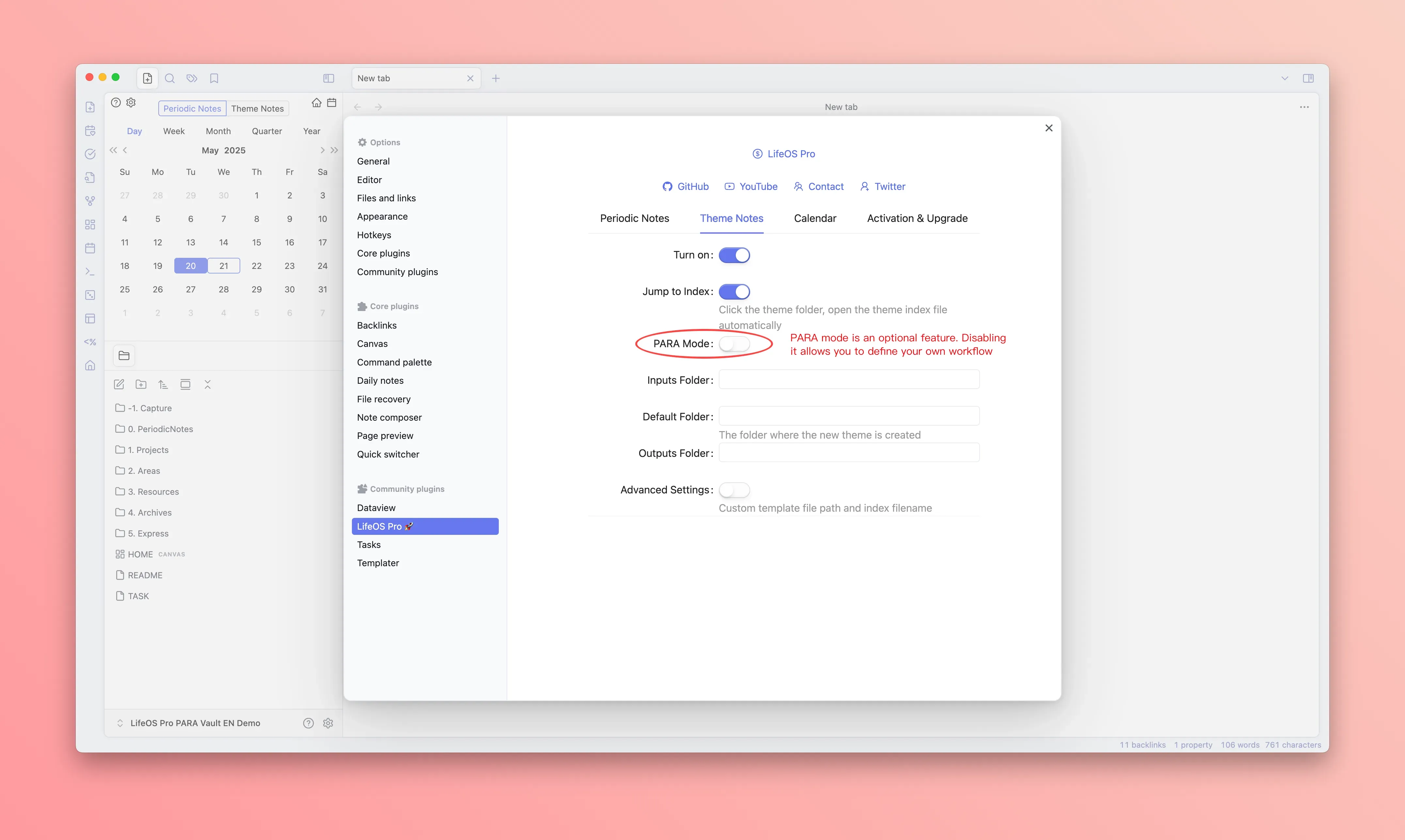
At the same time, you can also use this as a foundation to move beyond PARA and create your own note system and workflow!
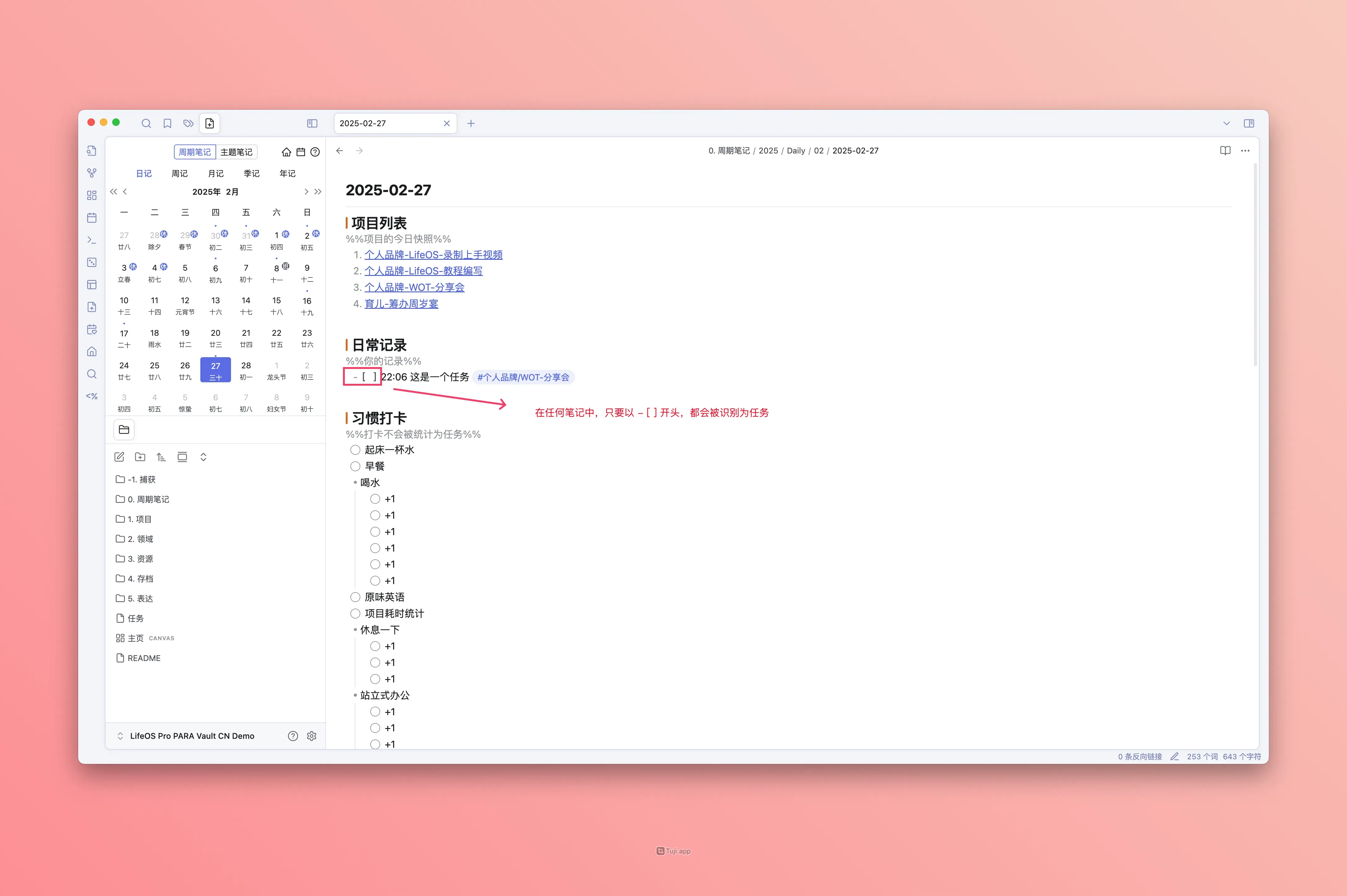
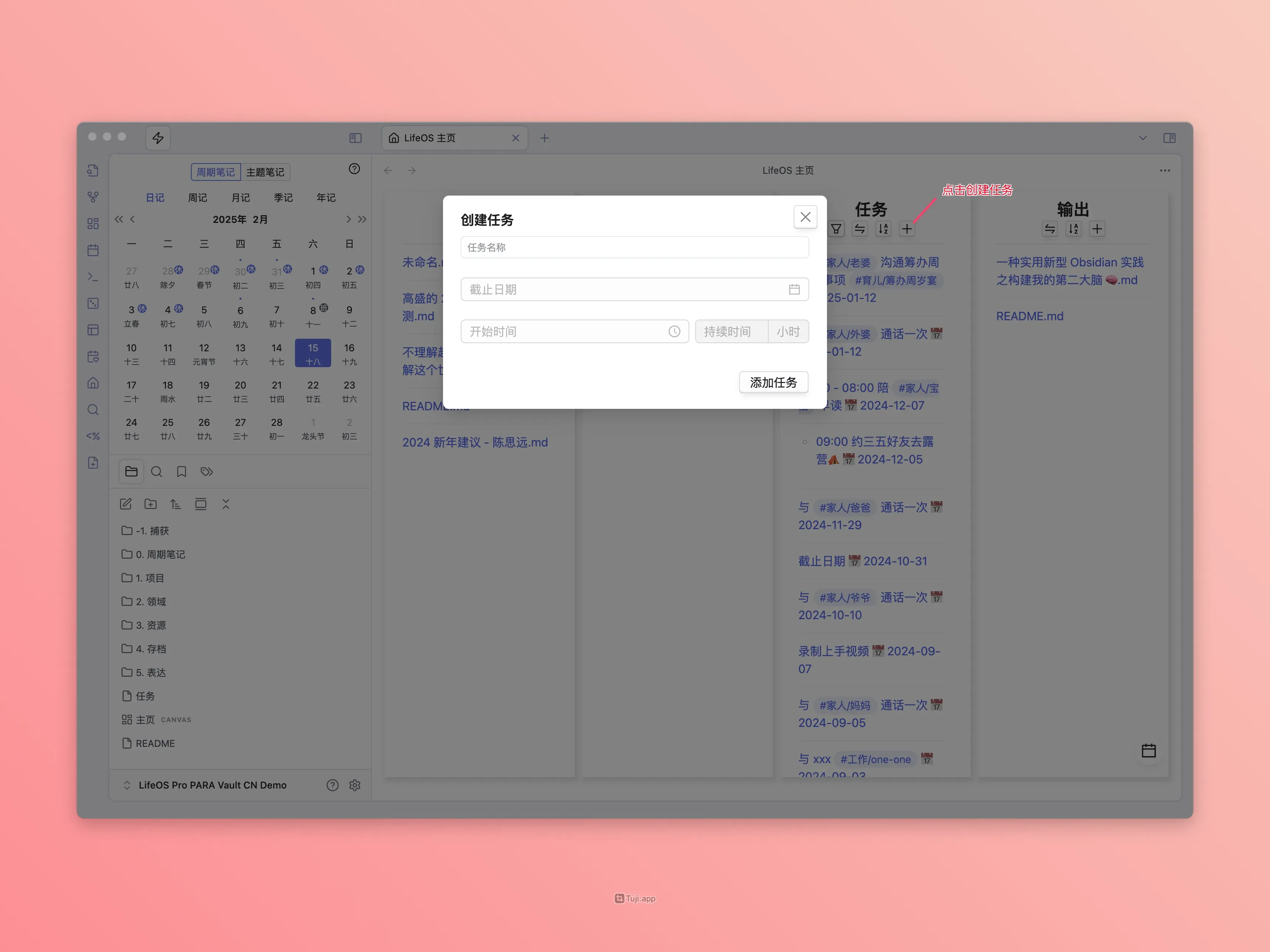
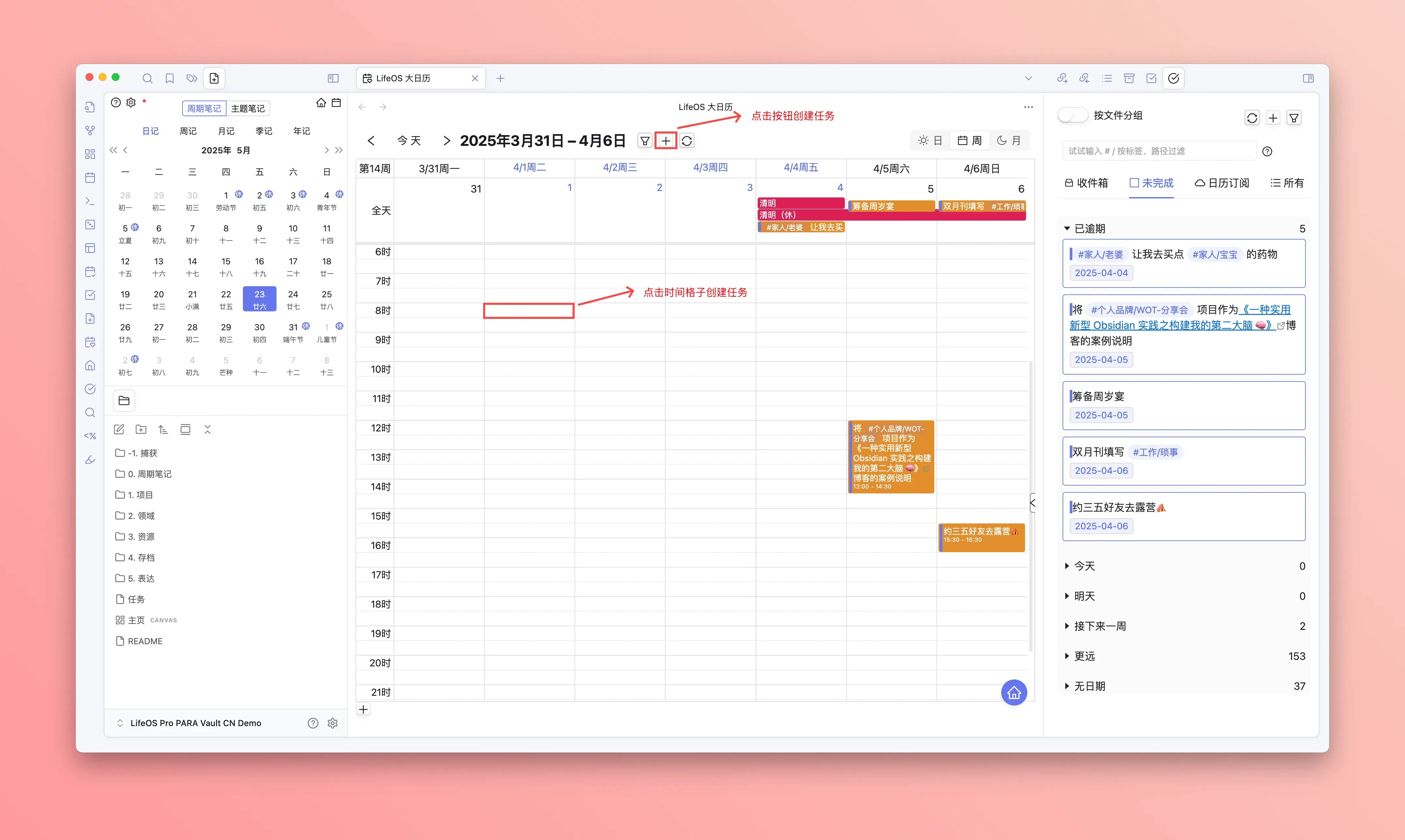
Task Creation
Supports multiple entry points for creating tasks — whether you're recording in notes, planning on the homepage, organizing in advanced lists, or scheduling in the big calendar, you can quickly create tasks anytime, anywhere. For details, see Task Creation.
Create in Notes
Create in Home View
Create in Big Calendar
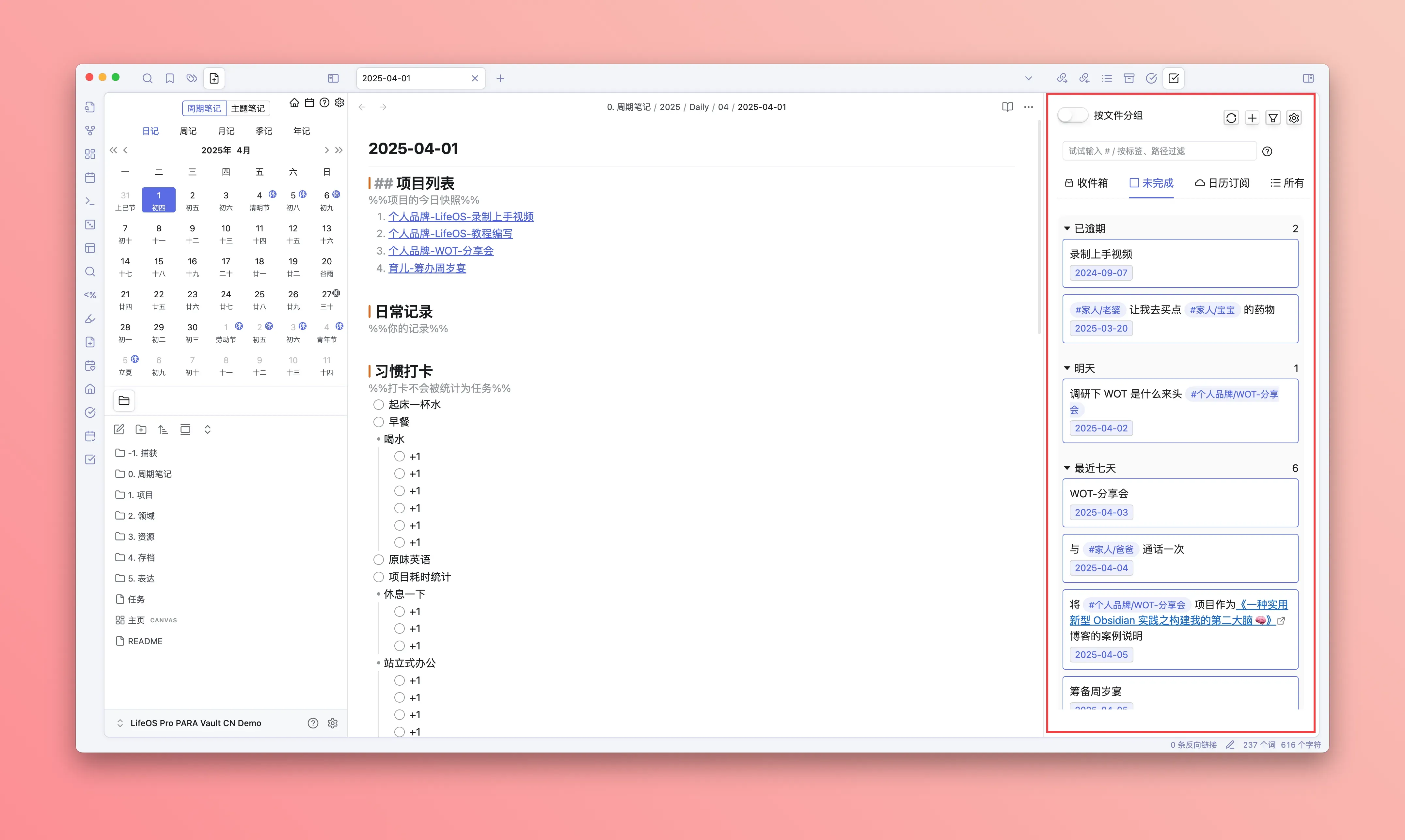
Task View
A persistent sidebar task management panel that lets you view and manage tasks at any time. You can also drag tasks into the big calendar to plan your schedule. For details, see Task View.
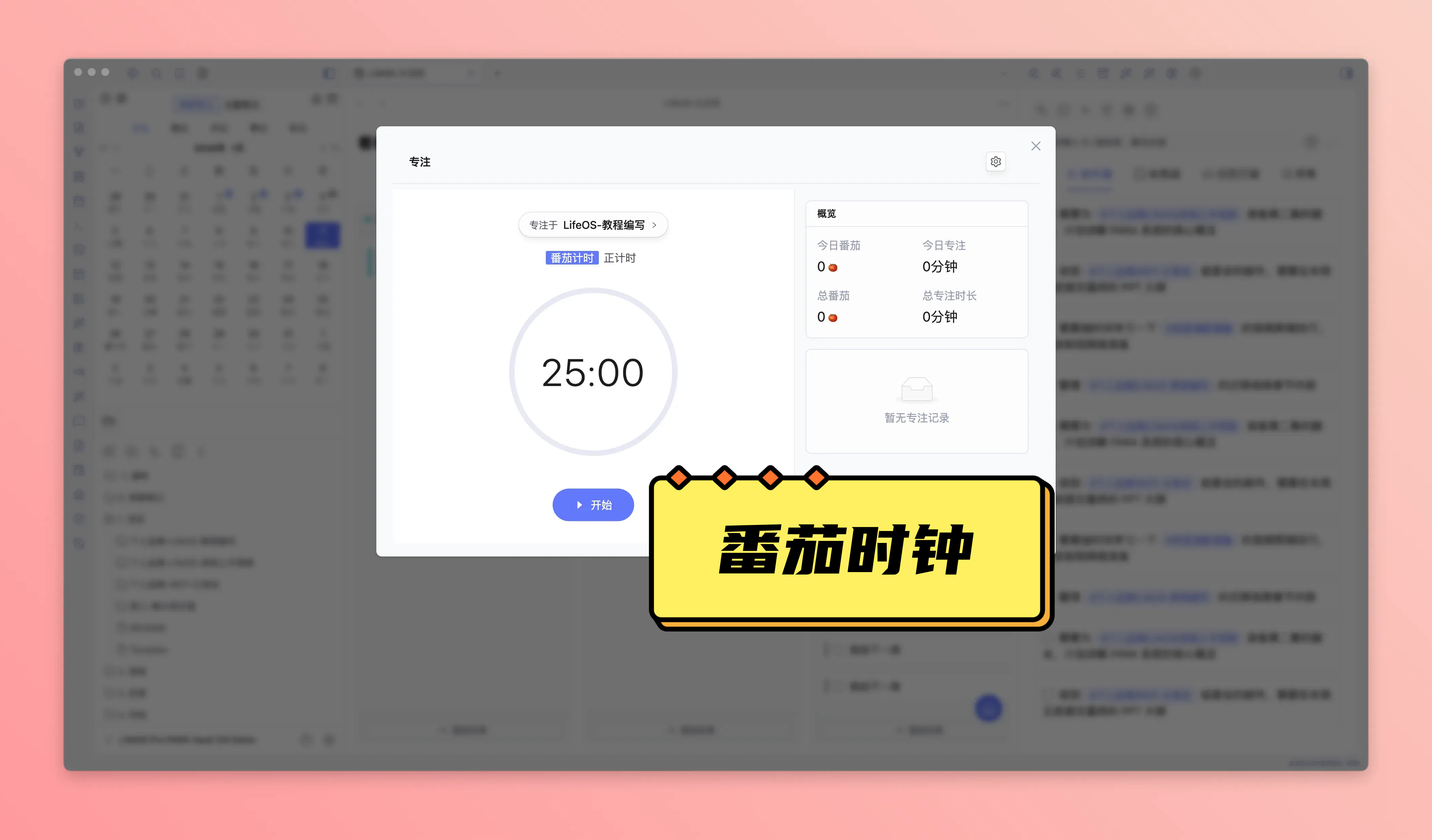
Pomodoro Timer
A built-in focus timing tool that supports Pomodoro mode (25-minute focus + 5-minute break) and free timing mode, helping you better manage time and improve productivity. For details, see Pomodoro Timer.
- Dual-mode Timing: Pomodoro mode and free timing mode to flexibly meet different scenarios
- Project Association: Associate timing with projects, and automatically log duration to the daily journal upon completion
- Automation: Auto-rest, auto-start next Pomodoro — no manual operation needed
- Mini Timer: Minimize to a floating timer for easy progress tracking while working on other pages
- Statistics: Today's Pomodoro count, focus duration, historical totals — all at a glance
Convenience Features
Multiple thoughtful convenience features to enhance your daily experience. For details, see Convenience Features.
- Auto-insert Timestamp in Daily Records: Automatically insert timestamps when typing in daily records
- Right-click Tag to Create Theme Notes: Right-click a tag to quickly create or jump to the corresponding theme note
- Right-click Theme Folder for Quick Transitions: Freely move folders between "Projects", "Areas", "Resources", and "Archives" directories
- Click Folder to Jump to Theme Index: Click a folder name to directly jump to the theme index file
- Click File Title to Focus in Sidebar: Click a file title to automatically expand and focus the corresponding file in the sidebar
- Auto-focus When Opening Journal: Automatically focus on the last line of the daily records module when opening today's journal